AI Proposal Generator in 3 Simple Steps
From Meeting Notes to Polished Proposals in Minutes
FlowEdge transforms the way consultants and professional service providers create client documents. Our AI proposal generator turns your meeting notes, call transcripts, and research into professional proposals, SOWs, and briefings without the hours of manual writing.
The process is straightforward: provide your information, let the AI do the heavy lifting, review and refine the output, then download your finished document. You stay in control while saving hours on every project.
Step 1: Generate Your Document
Start by telling FlowEdge what you need. Enter your client’s company name, define the scope of work, and add any specific requirements or notes from your discovery calls.
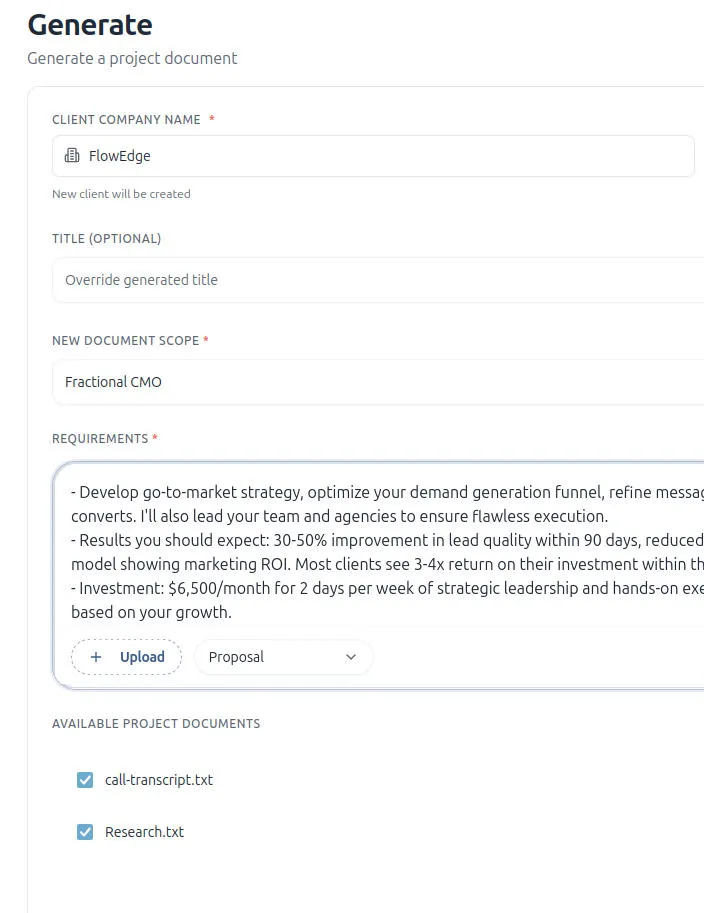
FlowEdge accepts the information you already have. Upload call transcripts, meeting notes, research documents, or any other materials that describe the project. The AI uses this context to create a document that reflects your unique approach and the client’s specific needs.
Choose from document types including proposals, statements of work, and project briefings. Select the format that matches your deliverable, and FlowEdge handles the structure and formatting automatically.
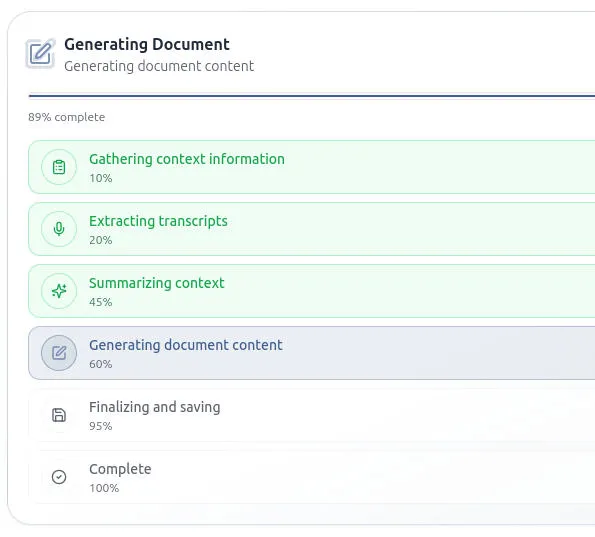
The generation process normally takes less than a minute. FlowEdge gathers context from your uploaded files, extracts relevant information, summarizes key points, and produces a complete first draft. You can track the progress as each stage completes.
Step 2: Review and Customize
Once your document is ready, FlowEdge opens it in a clean editor where you can review every section. The AI creates a solid foundation, but you add the final touches that make each proposal yours.
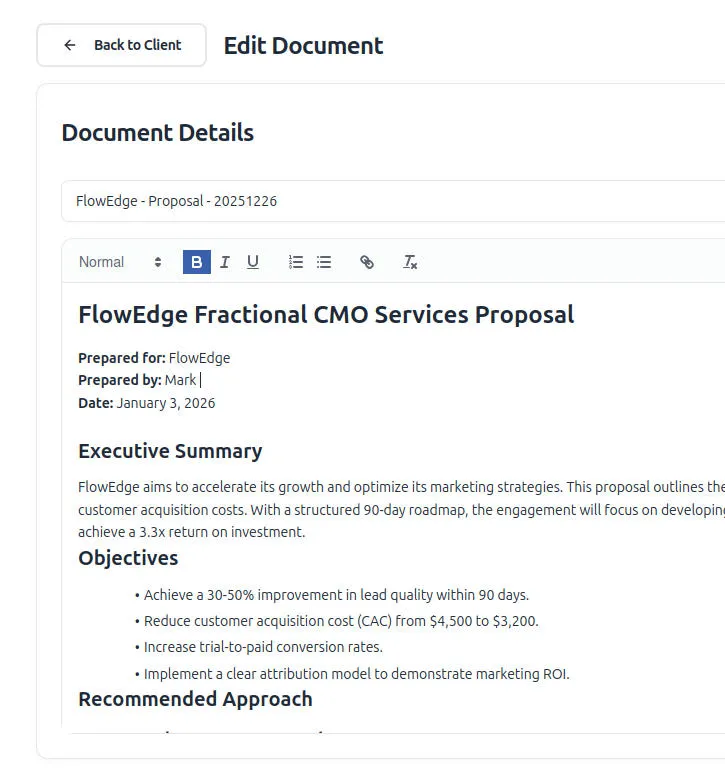
The editor gives you full control. Adjust the executive summary to match your tone. Refine objectives and deliverables. Add pricing details or modify timelines. Every section is editable, so the final document reflects your expertise and judgment.
FlowEdge maintains professional formatting throughout. Headers, bullet points, and sections stay consistent whether you’re editing a single paragraph or restructuring the entire document.
Step 3: Save and Download as PDF
When your document looks right, save your work and download it as a polished PDF ready to send to your client.
FlowEdge creates PDFs that look professional without any extra formatting work. Preview your document before downloading to verify everything appears as expected. The output is ready to email, present, or archive.
Your documents are saved to your FlowEdge account for future reference. Access past proposals, reuse successful templates, and build a library of client-ready materials over time.
Why Consultants Choose FlowEdge
Traditional proposal writing takes four to six hours per document. FlowEdge reduces that to minutes. The time you save goes back into client work, business development, or your personal life.
Consistency improves because every document follows proven structures. No more rushing a proposal and forgetting key sections. The AI ensures nothing important gets missed while you focus on the strategic content that wins deals.
Speed creates opportunity. When you can send a professional proposal minutes after a discovery call, you demonstrate responsiveness that sets you apart from competitors still working on their drafts.
Privacy and Security Built In
Your client information stays protected. FlowEdge uses enterprise-grade security and never trains AI models on your confidential data. Your proposals, client details, and business information remain private.
We do not share your data with third parties or use it for any purpose you have not authorized. Your documents belong to you.
Get Started Today
Ready to transform how you create proposals?
No credit card required. No complicated setup. Just faster, better proposals.
Frequently Asked Questions
How long does it take to generate a proposal with FlowEdge?
Most documents generate in two to five minutes, depending on complexity. After generation, you can review and customize as needed before downloading the final PDF.
What types of documents can FlowEdge create?
FlowEdge generates proposals, statements of work (SOWs), and project briefings. Each document type follows professional structures tailored for consulting and professional services.
Can I customize the AI-generated content?
Yes. Every document opens in a full-featured editor where you can modify text, adjust formatting, add sections, or remove content. The AI creates a strong first draft, and you refine it to match your voice and client needs.
Is my client data secure?
FlowEdge uses enterprise-grade security to protect your information. We never train AI models on your data, never share it with third parties, and never use it for purposes you have not authorized.
What information do I need to generate a document?
At minimum, you need your client’s company name and the project scope and some details about the project. For better results, upload meeting notes, call transcripts, or research documents that describe the engagement in detail.
Does FlowEdge work with the tools I already use?
FlowEdge accepts common file formats including text files, PDFs and DOCX files. Upload the materials you already have from your discovery calls and meetings to generate documents without extra preparation.